Contact Us
1-800-234-4232
Email  E-mail Us
Call Me Call Me Now
Distributors  Find a Distributor
Sign Up For MCC eNews!

Product Selection Guide

My Cart

Items: 
Subtotal: 
Shipping: 
Cart View Cart

Software/Drivers Downloads
If you experience any problems in the download process, feel free to contact techsupport@mccdaq.com.
For downloads of our Product User's Manuals, please see our Product User's Manuals page.

DASYLab
DASYLab – Graphical DAQ software package allows you to quickly develop custom DAQ applications without programming. If you don’t have the time or programming skills required to write a DAQ program, you need DASYLab.

Compatible with Windows® 7/Vista™/XP

Evaluate DASYLab V12 for 28-Days:

    DASYLab V12 Evaluation Copy 

    Using DASYLab V12 with MCC Hardware Quick Start Guide

    Evaluating DASYLab V12 without MCC Hardware Quick Start Guide

    Download DASYLab V12 (Note you will need a DASYLab V12 serial number to install the unlimited version)

    DASYLab V12 ReadMe File

DASYLab Training Workshops: Measurement Computing's practical, hands-on training workshops are designed to help you get up and running quickly with DASYLab.


InstaCal
InstaCal Driver 6.22 – Includes an easy-to-use installation, calibration, and test utility.
Supports most MCC hardware, see specific hardware products for compatibility details.

Compatible with Windows 7/Vista/XP

Download InstaCal

For Windows 2000 users, Click here for an archive version of InstaCal


MCC DAQ CD
MCC DAQ CD 6.22 – This download contains all the software that ships with MCC hardware.

Compatible with Windows 7/Vista/XP – Service Pack 2 needed.

Download MCC DAQ CD – Download includes the following applications:

InstaCal
InstaCal 6.22 – Installation, calibration, and test utility.

Universal Library
Universal Library™ 6.22 – Programming libraries and components for developing 32- & 64-bit applications, using Windows programming languages.

TracerDAQ
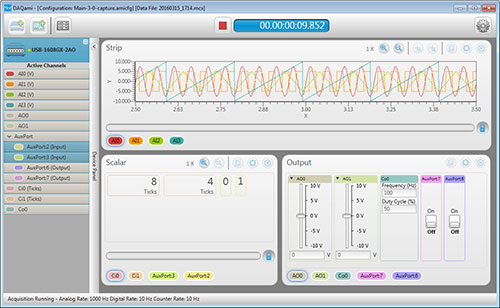
TracerDAQ® 2.2 – Virtual instrument application suite with strip chart, oscilloscope, function generator, and rate generator.

ULx
ULx for NI LabVIEW™ 2.0 – Library of virtual instruments (VIs) and example programs used with National Instruments LabVIEW to develop instrumentation, acquisition, and control applications.
Compatible with 32- & 64-bit LabVIEW Version 8.5 thru 2011

UL
UL for NI LabVIEW 7.11a – Legacy library of virtual instruments (VIs) and example programs used with National Instruments LabVIEW to develop instrumentation, acquisition, and control applications.
Compatible with 32-bit LabVIEW Version 6.0–8.2.1


USB-500 Series Software
USB-500 Series Software 2.7.0 – For use with USB-500 Series battery-powered remote loggers.

Compatible with Windows 7 (32/64-bit)/Vista/XP SP2

Download USB-500 Series Software


DAQLog
DAQLog 1.0 - Configuration and data logging software for use with the LGR-5320 Series.

Download DAQLog Software


DAQFlex
DAQFlex Series Software 3.0

Compatible with Windows® 32/64, Windows® CE, Linux®, and Mac®

Download DAQFlex Series Software


FTP Site
Example programs, specialty software, GPIB drivers, etc.
FTP Downloads
Product Specific Examples


Encore
Encore 1.1 with the 6000 Series combines ease of use with advanced functionality, including customizable data layouts and powerful analysis and reporting capabilities.
Download Encore Software
Download Encore LabVIEW Express VI Beta Software

IOtech Software
IOtech software downloads are available at: IOtech Downloads
Supported Operating Systems: Windows 7 and Windows Vista (32-bit and 64-bit),
Windows XP, Windows 2000 (refer to IOtech's Windows Support document for details).